How to Extract Audio From TikTok: 5 Ways to Keep Any Sound
 Instonic Team
Updated
8 min read
Instonic Team
Updated
8 min read
 TikTok
 To extract audio from TikTok, copy the video link, paste it into an audio extractor app, and tap Extract Audio. You get the sound as a separate audio file you can play anywhere. TikTok itself doesn't let you download sounds, but it does let you save them inside the app or send songs to a music app.
There are five ways to extract audio from TikTok, whether you want to download a TikTok sound, save audio from TikTok for later, or keep the music from a clip. Which one is right depends on what you actually want to keep.
- Want the sound as a file?
- Use a TikTok audio extractor with the video link.
- Already have the video on your phone?
- Upload it and extract the audio.
- Just want to use the sound later in TikTok?
- Add it to Favorites.
- Want the full song?
- Use TikTok's Add to Music App option.
First, Decide: Do You Need the File or Just the Song?
Most "I can't save this sound" problems come from picking the wrong method. Match your goal first:
If the sound says "original sound," it was made by a TikTok user. You won't find it on music streaming apps, so extracting it is usually the only way to keep it.
Method 1: Extract Audio From a TikTok Link
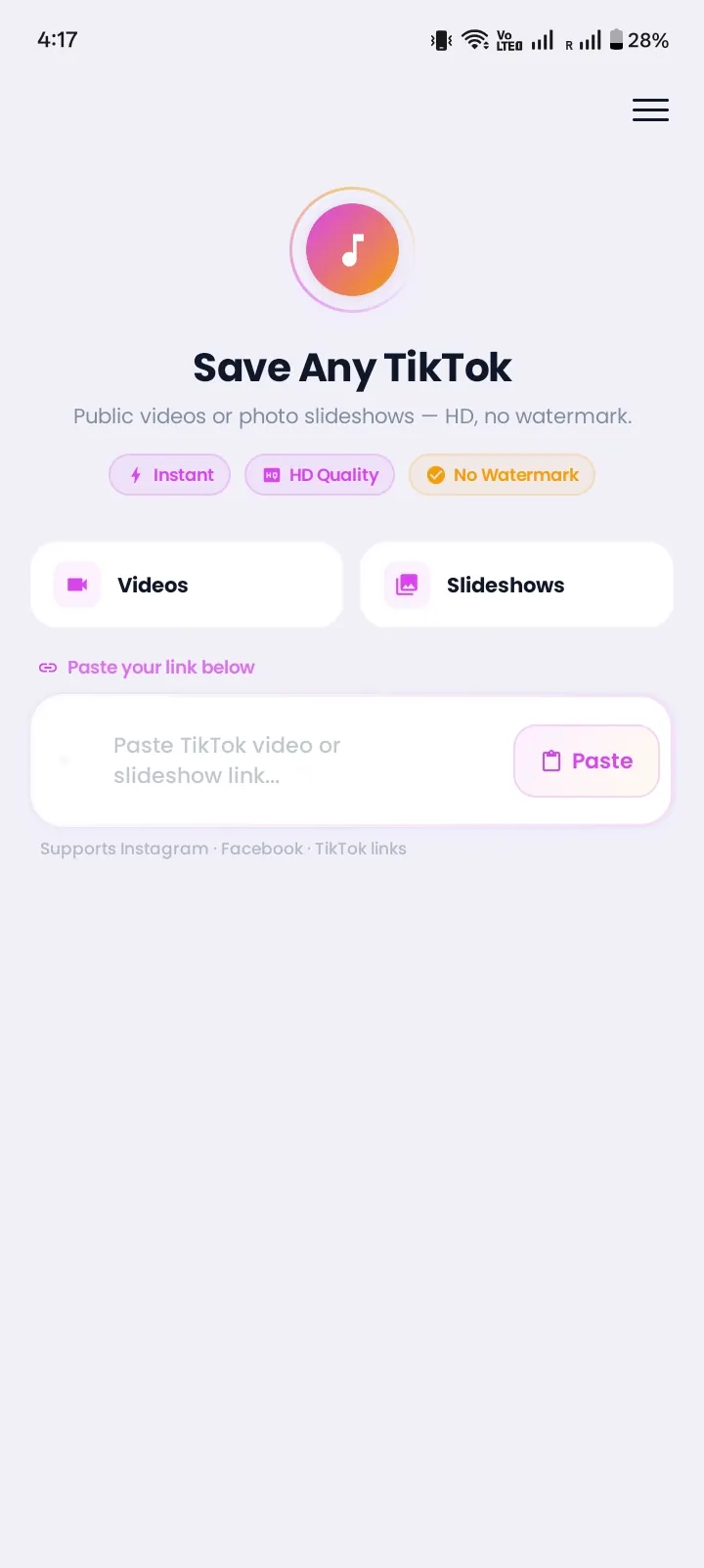
This is the fastest way to turn a TikTok video to audio. People often call this converting a TikTok video to MP3. Here's how it works in Instonic, a free Android app:
- 1In TikTok, tap Share on the video, then Copy link.
- 2Open Instonic and paste the link.
- 3The video loads on the screen. Below it, tap Extract Audio.
- 4Wait a few seconds while the sound is pulled from the video.
- 5Save the audio. It goes to your phone and your Instonic library.
You don't need to download the whole video first. The app takes the sound straight from the link. Instonic also works as a TikTok audio downloader app for saving the full clip when you want both.
This works only for public videos. Sounds from private accounts can't be extracted.
Method 2: Extract Audio From a Video Already on Your Phone
Already downloaded the TikTok? You can still get the sound out of it.
- 1Open Instonic.
- 2Choose the option to upload a video from your phone.
- 3Pick the TikTok video from your gallery.
- 4Tap Extract Audio and save the file.
This is handy for old saves, or for TikToks a friend sent you on WhatsApp. If you haven't saved the video yet, our guide on how to download TikTok videos walks you through it.
Method 3: Save a Sound Inside TikTok (Favorites)
TikTok's own way to save a sound is the Add to Favorites button. It doesn't create a file, but it's perfect if you only want to use the sound in your own videos later.
- 1Tap the sound name or the spinning record at the bottom of the video.
- 2On the sound page, tap Add to Favorites (the bookmark).
- 3To find it later, go to Profile → Favorites → Sounds.
Keep in mind that the sound stays inside TikTok. You can't play it offline, set it as a ringtone, or share it as a file.
Method 4: Send the Song to Your Music App
For licensed songs, TikTok has an official Add to Music App button. It sends the full track to a supported music service, like Spotify, Apple Music, or Amazon Music.
- 1Tap the song name at the bottom of the video.
- 2Tap Add to Music App (or the music service's icon).
- 3Choose your music app and confirm.
This gives you the full studio song, not the cut-down TikTok version. But it only works for songs that are on those services. It won't show up for "original sound" clips, remixes, or voice recordings.
Method 5: Record the Sound With Android's Screen Recorder
Most Android phones running Android 11 or newer have a built-in screen recorder that can capture the phone's own audio.
- 1Swipe down twice and tap Screen record.
- 2Under sound settings, choose Media sounds (not the microphone).
- 3Start recording and play the TikTok.
- 4Stop recording when the sound ends.
The catch: you get a video file, not an audio file. You'll also record any notification sounds that pop up. If you want a clean audio file, upload that recording to an extractor (Method 2).
Which Way to Extract Audio From TikTok Is Best?
| Method | Audio file | Works on original sounds | Effort |
|---|---|---|---|
| Extract from link | Yes | Yes | Low |
| Upload and extract | Yes | Yes | Low |
| Add to Favorites | No | Yes | Very low |
| Add to Music App | No | No | Very low |
| Screen recorder | Video only | Yes | Medium |
If you want to download audio from TikTok and use it outside the app, extracting it is the way to go. The same goes if you want to download music from TikTok that isn't on any streaming service.
Why Some TikTok Sounds Can't Be Saved
Sometimes the sound just won't save. These are the usual reasons:
The account is private. Only approved followers can see the video, so the sound can't be extracted.
The video was deleted. Once it's gone, the link stops working.
The sound was removed. TikTok can take sounds down, often over copyright. The video may then play with no audio.
The song isn't on music apps. "Original sounds" never appear in Add to Music App.
How to Make a TikTok Sound Your Ringtone
Once you extract audio from TikTok and save it as a file, you can use it as a ringtone on Android:
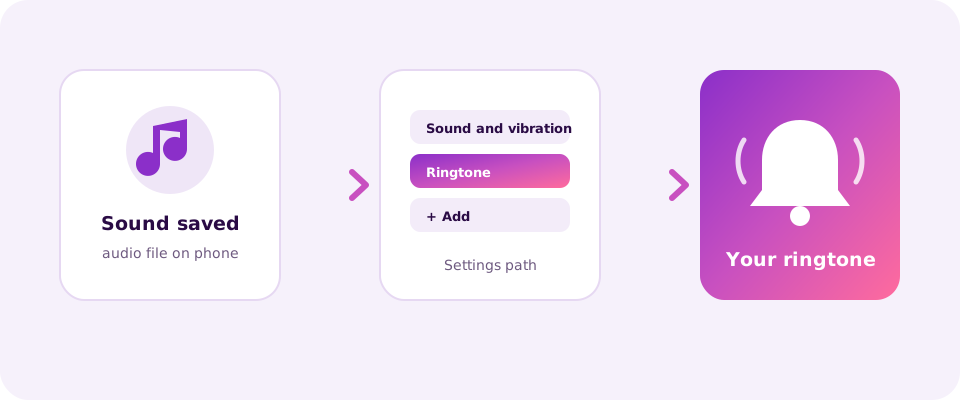
- 1Open Settings → Sound and vibration → Ringtone.
- 2Tap Add or the + icon (the name differs by phone brand).
- 3Find the audio file you saved and select it.
Short sounds work best. If the clip is long, your phone will play only the first part.
How to Find the Name of a Song on TikTok
You don't need another app to find a song's name. Tap the scrolling text at the bottom of the video, or the spinning record on the right. The sound page shows the song title and artist when TikTok has that info. If it just says "original sound," the creator made it, and it won't have an official title.
Use TikTok Sounds Fairly
Songs and sounds belong to the artists and creators who made them. Saving audio for personal listening is one thing. Reusing it in your own posts or projects may need permission, especially for music.